



A forwarding business has outgrown spreadsheets and WhatsApp when the work no longer fits in one person's head. The usual signs are quotes that take days, documents retyped from one file into another, invoices that go out late or miss a charge, and no clear answer to what a job earned. This guide lists nine of those signs, what each one costs, and the fix for it. It also says plainly when a spreadsheet is still the right tool.
Why small forwarders drift into spreadsheets
Nobody chooses a spreadsheet for a forwarding business. A quote starts as an email. The shipment gets a row in a sheet. The documents go into a WhatsApp group so the driver and the warehouse can see them. Each step is quick on its own, and each one works for a while. The cost shows up later, as slow answers, mistakes that someone has to fix by hand, and money that arrives late.
The question is not whether spreadsheets are bad. They are a good tool for a small team with one or two people who know everything. The question is whether the business still runs when one of those people is away, and whether the record of a job can be trusted once the job is closed.
Nine signs, what each one costs, and the fix
1. Quotes take days, not hours
What it looks like: A shipper asks for a rate on Monday. The quote goes out on Thursday, after someone has checked three inboxes and a rate sheet. By then the shipper has asked two other forwarders.
What it costs: Lost shipments to faster competitors, and quotes that go out with a rate that is already out of date.
The fix: Keep one quote record per enquiry, priced from one set of rates with your margin rules, and keep each version so you can see what was sent. A quote that takes minutes to build is the first measure most forwarders feel.
2. Rate sheets live in inboxes
What it looks like: The current carrier rate is in an email from March. The updated one is in a different email, and the spreadsheet on the desktop is a version nobody is sure about.
What it costs: Quotes built on a rate that has changed, and margin lost or promised away without anyone noticing.
The fix: One rate library, with a validity date on every sheet, and a rule that a newer sheet replaces the older one for the same lane. The freight rate on a quote should point back to the rate it came from.
3. Documents are retyped
What it looks like: The shipper's details are typed into the house bill, then typed again into the commercial invoice, then once more into the packing list. One of them has a different consignee address.
What it costs: Hours per job, and mismatches that a bank, a customs officer or a carrier will spot before you do. The house bill and the master document have to agree on parties, weights and pieces.
The fix: Fill the documents from the job record, so the parties, cargo and routing are typed once. Keep your own templates and numbering, so every copy matches.
4. Invoices go out late, or charges are missed
What it looks like: The job closes, but the invoice waits for someone to remember the origin charge, the storage day and the extra stop. The customer pays a smaller amount than the job cost, or a month later than they should.
What it costs: Cash flow, and margin that disappears without a clear cause.
The fix: Make the quote the start of the invoice, so every charge line carries across. Match vendor bills against what you expected to pay, and sync invoices and payments to the accounting package you already use, so the books are not typed twice.
5. Customers ask "where is my cargo?" every day
What it looks like: The operations lead spends the morning answering the same question from six shippers, by phone and WhatsApp, and checks a carrier website for each one.
What it costs: Staff time that does not grow the business, and shippers who start to doubt the forwarder when the answers are late.
The fix: Give shippers a tracking page for their own shipments, and send exception alerts to the people who follow a job, so the team hears about a delay before the customer does.
6. Staff knowledge sits on personal phones
What it looks like: The only record of a rate agreement, a special handling request or a customer's delivery window is a voice note on one person's phone.
What it costs: When that person leaves or is ill, the history of the job goes with them. New staff repeat old mistakes because the answer was never written down where they could find it.
The fix: Attach messages and notes to the job record instead of a chat thread. Use roles and tasks, so the work is visible to the people who need it, and does not depend on who read which message.
7. You cannot see the margin on each job
What it looks like: Revenue for the month is clear. The profit on each job is a guess, and the answer comes at the end of the month, when it is too late to change a price.
What it costs: Shipments sold at a loss, and a price list that stays the same while costs move.
The fix: Record a buy cost and a sell price on every charge, so the margin on a job is known when the job closes. Compare margin by lane and by customer every month, not once a year.
8. Partners and agents are coordinated over chat
What it looks like: The agent at the destination port gets the arrival details by WhatsApp, the cut-off is in a message from last week, and a booking is made twice because nobody could see the first one.
What it costs: Missed cut-off times, duplicated bookings and charges that come back from the partner with no matching job.
The fix: Share the job with the partner in a form they can act on, keep partner notes on the same record, and agree who owns each step. A cut-off time should appear as a task with an owner, not as a line in a chat.
9. You cannot show who changed what
What it looks like: A rate was changed after a quote was sent. A customs document was amended. Nobody can say who made the change, when, or why.
What it costs: Disputes with customers and carriers, and a poor position in an audit or a claim.
The fix: Keep an audit trail on quotes, documents and invoices, and keep the versions. Record amendments instead of overwriting them. Record calls to action in the job, not in a personal inbox.
The retention rules matter here too. For US import entries, the customs recordkeeping rules in 19 CFR 163.4 require many records to be kept for five years from the date of entry. If your team prepares or supports entries, the records must be findable for that whole period. Files spread across personal drives and phones are hard to produce on request.
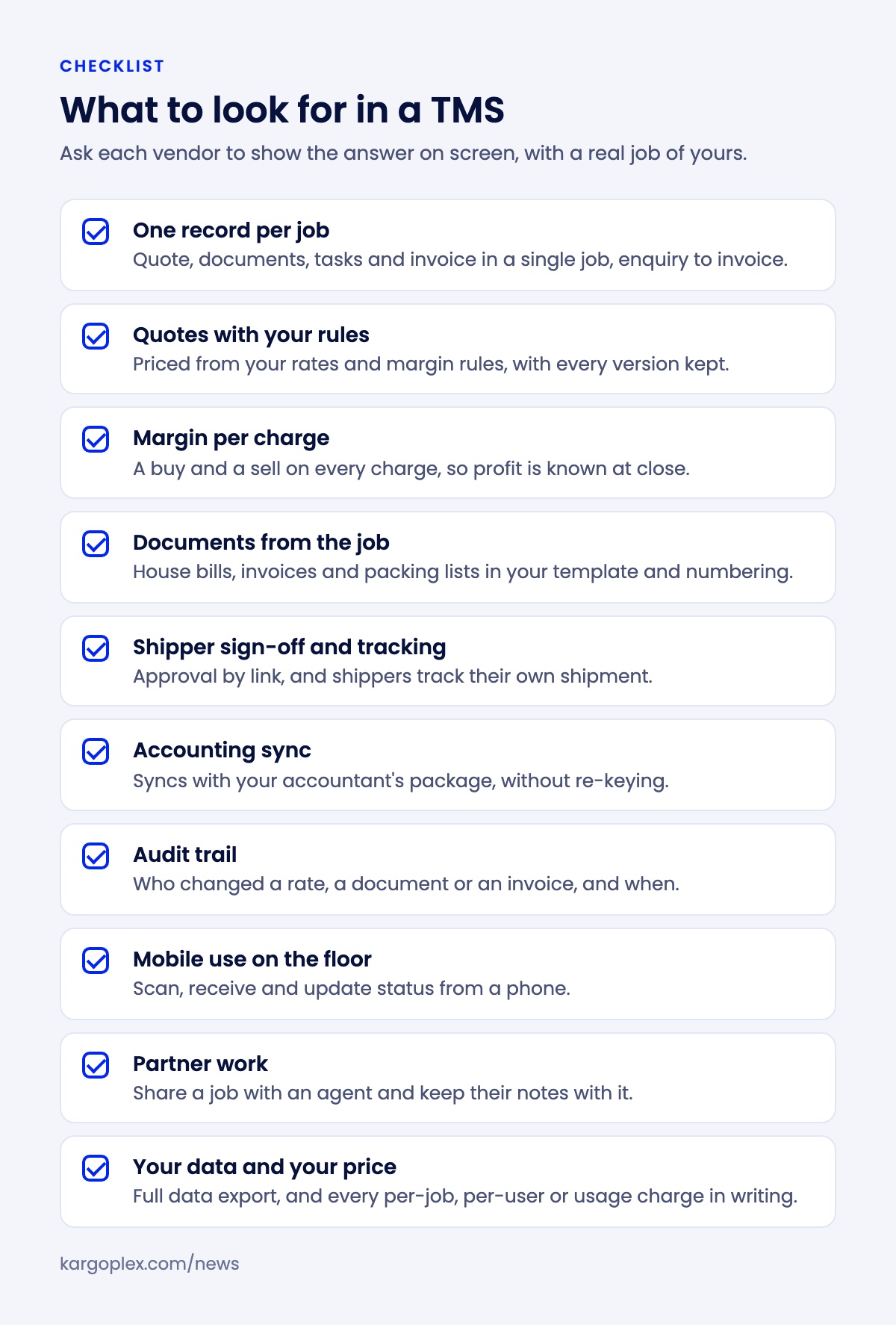
Checklist: what to look for in a TMS
Use this list when you compare systems. Ask each vendor to show the answer on screen, using a real job of yours if you can, and ask for any pricing limit in writing.
- One record per job from enquiry to invoice. Can you open a single job and see the quote, the documents, the tasks and the invoice?
- Quotes with your rules. Does the quote price from your rates and margin rules, and keep each version?
- Margin per charge. Is there a buy and a sell on every charge, so profit is known when the job closes?
- Documents from the job. Are house bills, invoices and packing lists filled from the record, in your template, with your numbering?
- Shipper sign-off and tracking. Can a shipper approve a document by link, and can they track their own shipment?
- Accounting sync. Does it sync with the package your accountant uses, without re-keying?
- Audit trail. Can you see who changed a rate, a document or an invoice, and when?
- Mobile use on the floor. Can warehouse and field staff scan, receive and update status from a phone?
- Partner work. Can you share a job with an agent or partner and keep their notes with it?
- Your data and your price. Can you export all your data if you leave? Is every per-job, per-user or usage charge stated in writing before you sign?
How Kargoplex covers the checklist
Kargoplex is a transport management system (TMS) with a freight network built in. Quotes, jobs, tasks, documents, invoices and margin sit in one record. The TMS page sets out the quote-to-invoice flow, and every charge carries a buy and a sell, so you see margin when the job closes.
Documents are filled from the job, with 45 document types, your own templates and numbering, and a shipper sign-off step by link. Accounting sync covers Xero, QuickBooks, Sage, Zoho Books and Tally. The network lets shippers send requests to several forwarders at once, and lets you work with partner agents on the same record. The mobile apps scan labels and let warehouse staff receive and release cargo from a phone. These are the platform capabilities we list on our pages. Check them against your own job before you rely on them.
When a spreadsheet is still the right tool
Spreadsheets are fine at small volume. If you handle a few jobs a month, one person knows every customer, and nobody is waiting on a document or a price, a well-kept sheet may be enough. Do not move because a vendor says you should. Move when one of these is true:
- A second person needs the same information to do their job, and you are the bottleneck.
- A mistake in a document or a rate has cost you a shipment or a customer in the last year.
- You cannot answer a shipper's "where is my cargo?" within a working day.
- You do not know the margin on last month's jobs without a long afternoon of work.
If two or more of these are true, the cost of staying put is already higher than the cost of changing. Plan the move in stages, starting with quotes and documents, which give the fastest return.
Example scenario
Example scenario, not a real customer. A five-person forwarder ships general cargo from Lagos to Rotterdam and to Nairobi. Its quotes are in one spreadsheet, its jobs in another, and its documents in WhatsApp. The founder checks every invoice herself, and she is the only person who knows the margin on a customer's contract. When she is away for a week, a shipment misses its cut-off because the agent's message was never seen. After the move, each job holds its quote, documents, tasks and invoice. The team can see who is working on what, and the founder reviews margin on Friday from one report, instead of rebuilding it by hand.
Next steps
Before you change anything, write down your last ten jobs. Note how long each quote took, how many times a document was retyped, when the invoice went out, and what the margin was. Those numbers will show which sign hurts most, and they give you a baseline to test any system against. The forwarding TMS guide covers how a move from spreadsheets runs in practice, and what to ask a vendor before you sign.